Buying Guides
Fingerprint or Keypad Pencil Case? A Buyer’s Channel-Fit Guide
Compare fingerprint and keypad pencil cases by user fit, setup, recovery, charging and support before approving samples for a stationery range.
The most impressive lock is not always the easiest one to sell
Picture the first minutes after a customer opens a smart pencil case. A fingerprint model requires enrollment; a keypad model requires a code. If the instructions and support route do not explain recovery, an exciting feature can become a retail return.
The choice is therefore not simply “new technology versus old technology.” It is a choice about ownership, onboarding and support.
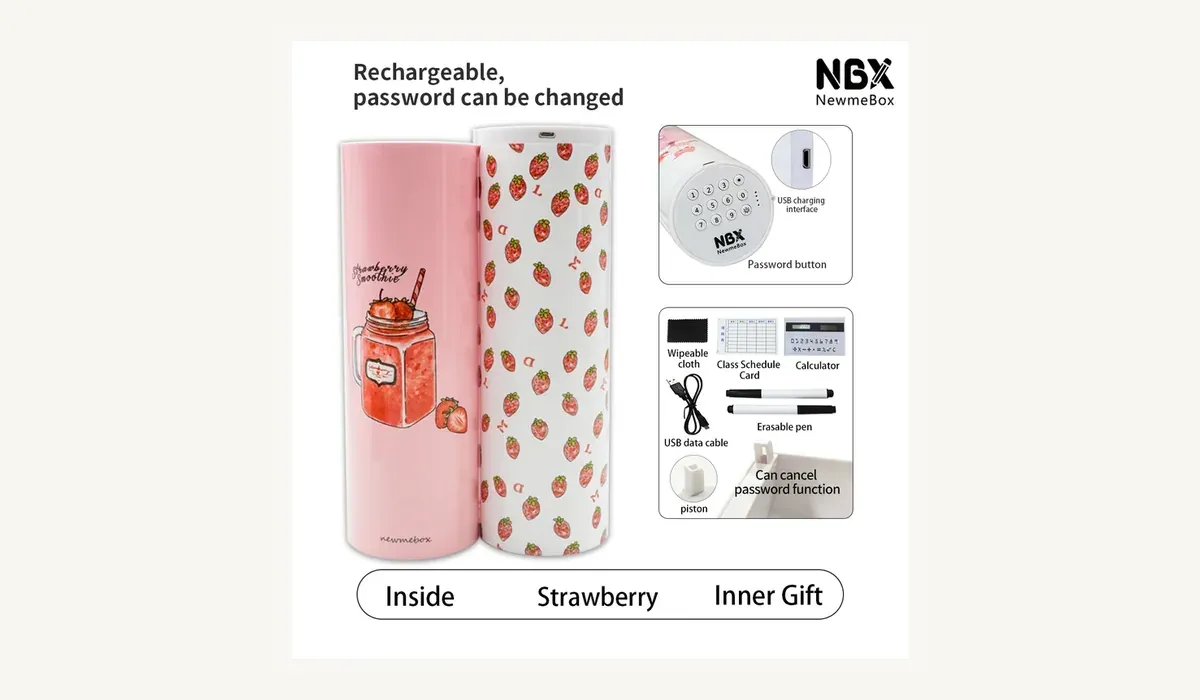
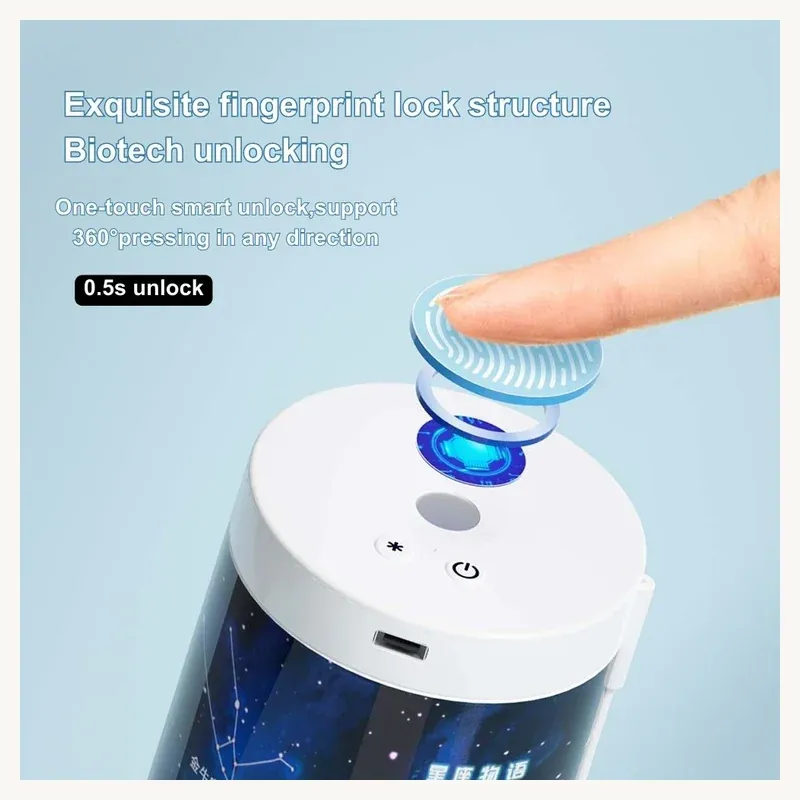
NBX product material shows two distinct routes. The fingerprint model uses one-touch unlocking and Type-C charging, with a built-in 200mAh lithium battery. Its cylindrical case opens 180 degrees and is shown holding about 20 pens. The electronic code-lock model uses a physical keypad, rechargeable operation and a changeable password. Both can create a strong product story, but they ask different things of the user.
Start with the person who will unlock it
A fingerprint model can suit an individually owned product when quick personal access is central to the appeal. It may work well in a demonstration-led creative stationery or gift setting. NBX imagery describes 360-degree pressing and a 0.5-second unlock, but those claims require physical sample verification under the conditions relevant to your market.
A keypad model may be easier to explain when more than one authorized person needs access, when a retailer wants a familiar code-setting story, or when the buyer prefers not to build a biometric interaction into the offer. However, “familiar” does not mean support-free. Password setup, change and recovery must be clear enough for a first-time user to complete without a salesperson.
Ask these channel questions before choosing:
- Is the case intended for one owner or possible shared use?
- Will it be demonstrated in person, sold from a shelf, or delivered through ecommerce?
- Who handles first-time setup: the factory, retailer, parent or end user?
- Can customer service explain enrollment or password reset in the destination language?
- What should happen when a finger is not recognized, a code is forgotten or power is low?
If those answers are not defined, asking for a lower price or a new pattern is premature.
Test the whole ownership journey, not one successful unlock
The following is general buyer guidance, not a claimed NBX factory protocol. Agree the sample quantity, sequence and acceptance limits for the actual order, and keep each sample identified.
Fingerprint route: enrollment, recognition and handover
Begin from the condition in which the product will reach the customer. Follow only the proposed instructions and record how many steps are needed to enroll an authorized finger. Check whether the user receives clear feedback when enrollment succeeds or fails.
After enrollment, try natural finger placement from several angles. Include a person who has not been enrolled and document the result. The purpose is to confirm consistent sample behavior, not make an unsupported security claim.
Then test the handover questions: how is an enrolled user removed, how is a new owner added, and what is the documented recovery route if recognition fails? Fingerprint handling can also raise privacy and product-compliance questions. Do not promise how data is stored or protected unless the technical evidence supports the exact claim. Ask a qualified compliance partner what information, labeling and records are required for the target market.
Keypad route: setup, errors and forgotten codes
For the keypad sample, start with the proposed default state. Set, use and change the password, then follow the defined recovery process. Ask a first-time user to repeat the sequence using only the instruction sheet.
Observe the buttons individually. Are the labels readable? Can the intended user distinguish a complete press from a missed input? Does the case give understandable feedback after the correct and incorrect sequences? Record the exact state after an interrupted setup rather than simply writing “lock works.”
The current NBX code-lock imagery shows a USB cable and several multifunction accessories. Treat every included item as an order choice to freeze; a catalogue picture is not a substitute for an approved bill of contents.
Both routes: power, access and daily use
Check charging with the proposed cable and instruction. Confirm the connector, charging indication, low-power behavior and documented access or recovery path before approving packaging. Do not infer battery life from a showroom demonstration. The fingerprint model material lists a 200mAh battery, but standby and use time still need an agreed test condition.
Load the case with the pens, pencils and small tools typical of the intended user. Open it on a desk, remove items from different positions and close it without rearranging everything. For the fingerprint model, confirm that the 180-degree opening and stated approximate 20-pen capacity work with the buyer's own assortment. Capacity is useful only when the stored items remain accessible and do not interfere with the lock or closure.
Our electronic password pencil-case sourcing guide covers the broader product route. The custom stationery quality-control checklist can help convert an approved sample into written inspection points.
Treat instructions and packaging as part of the product
A smart lock creates an after-sales question before a security promise. The package should explain first use, charging and recovery. Instructions must match the exact production version.
For retail and ecommerce, approve the wording carefully. “Fingerprint access” describes an interaction. It does not automatically prove theft prevention, data security or suitability for valuables. Likewise, rechargeable operation does not remove the need to confirm battery transport, labeling and product requirements for the destination country and intended age group.
Also approve the final accessory list, pattern mix, barcode, language set and any charging information before production. The fingerprint range is currently shown in four illustrated patterns, while the keypad configuration may include several accessories. A clear SKU record prevents the attractive sample, the quotation and the delivered retail pack from becoming three different products.
Send an RFQ that makes the choice answerable
For a useful comparison and sample plan, provide:
- destination country, sales channel and intended user age group;
- individual or shared-use scenario;
- estimated quantity and launch timing;
- fingerprint or keypad preference, or a request to compare both;
- preferred patterns, branding locations and retail presentation;
- expected storage load and required accessories;
- instruction languages, barcode and packaging requirements;
- required documents and the compliance questions raised by your market.
Aura Craft World presents creative stationery developed with NBX, supported by Dongguan Xingbo Stationery Co., Ltd. in Dongguan, China. Review the fingerprint lock pencil case and the electronic code-lock pencil case as two different user experiences, not interchangeable versions of the same feature.
When you are ready, send us the project brief with the fields above. We can identify which details are already defined, which customization requests need evaluation, what each sample must prove and which questions should be resolved before a bulk-order decision.